
BKM Validator
Upload your ThruLines® screenshot and we'll check whether your Best Known Match is valid before you build your network.
You've already completed this step
Your information
We save your results so the Network Pattern Checker (Checkpoint 2) can pick up where you left off — no re-entry needed.
Upload your ThruLines® screenshot
The screenshot should show the target ancestor's name, their generational label (e.g., "2nd great-grandfather"), and the candidate match with their cM and segment count. Upload one screenshot at a time — your results will appear below each one.
✂️ Getting the crop right
- Fit the whole line in one shot. The TOP ancestor (with their label, e.g. "2nd great-grandfather") and the match at the bottom (with their cM) both need to be in the same picture.
- Tall tree that won't fit? Zoom your browser out first — hold Ctrl/⌘ and press − a few times — so the whole line shrinks to fit, then take the shot. Or capture it in sections and upload each one; we read across them.
- Only one child under your ancestor, and it's your own line? (labeled grandfather / grandmother / great-grandfather…) Then there's no Best Known Match to find here — screenshot one generation higher, where the aunts, uncles, and their descendants appear.
- Crop close, but don't clip. Trim the browser tabs and toolbars, but never cut off the top ancestor's label or the cM numbers — those are exactly what the check reads.
New to ThruLines®? See a labeled example and glossary
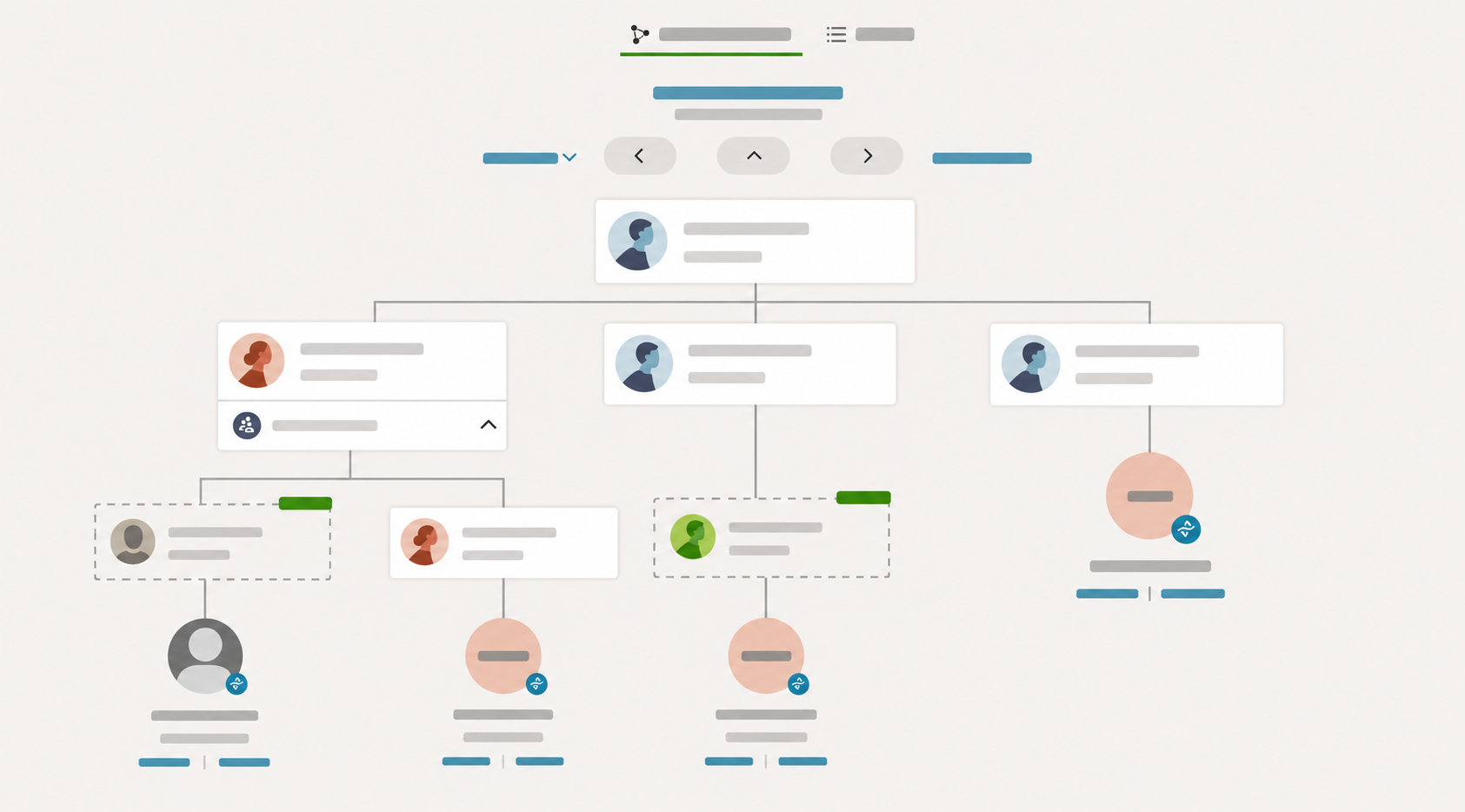 1
2
3
1
2
3
- 1The ancestor you're researching — sits at the TOP, with their generational label (e.g. "2nd great-grandfather"). Your screenshot must show this.
- 2A DNA match — a real person who took a test and connects to you through this ancestor (down toward the bottom).
- 3Their shared cM — how much DNA you share with that match. This is the number the check needs to see.
- ThruLines®
- Ancestry's diagram showing how a DNA match might connect to you through a shared ancestor.
- Best Known Match (BKM)
- A match whose exact place in your tree you're sure of, connecting through ONE line — the anchor you build a network from.
- Shared cM
- Centimorgans — how much DNA you share with a match. More shared cM generally means a closer relationship.
- Generational label
- How the ancestor relates to the tester (e.g. "2nd great-grandfather") — it tells you how far back the line goes.
- Through line
- Which of the ancestor's children the match descends through — the branch that links them to you.
📷 This is a screenshot — a picture you upload. There's nothing to type in.
🔒 Your screenshot will include your DNA matches’ names — that’s expected, since Hazel needs them to check your work. It’s read by our AI and not saved as an image; we keep your confirmed matches only in shortened form (first name + last initial). Please upload just the screenshot this step asks for.
Is that everyone?
Add a Best Known Match by hand
Have a Best Known Match that isn't in your ThruLines® list? Add it here so it's included in your final list.